Free Website Templates vs Page Builders: Which Should You Choose?
HTML templates, WordPress themes and drag-and-drop builders all get you a website. Compare cost, speed, flexibility and upkeep to pick the right option for your project.

Hand-picked tools and templates our editors recommend for quality, ease of use and real-world usefulness.
HTML templates, WordPress themes and drag-and-drop builders all get you a website. Compare cost, speed, flexibility and upkeep to pick the right option for your project.
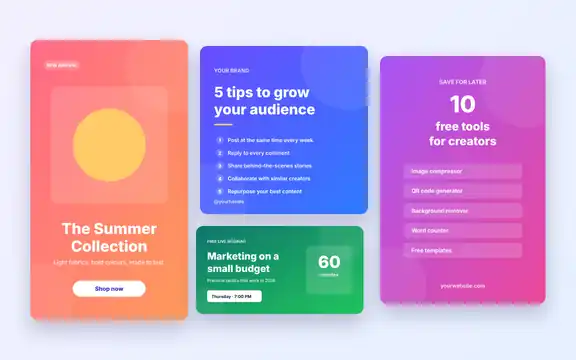
Five editable vector designs sized for Instagram posts and stories, Facebook, LinkedIn and Pinterest. Edit the text and colours in Figma, Canva, Inkscape or Illustrator.
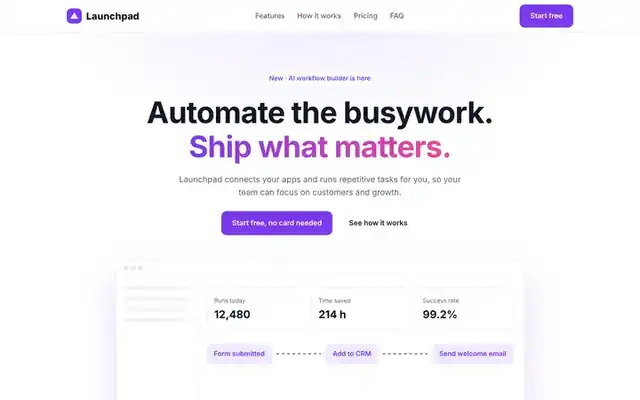
A modern landing page for apps and SaaS products with features, a three-step how-it-works section, monthly/yearly pricing toggle, FAQ and sign-up call to action.
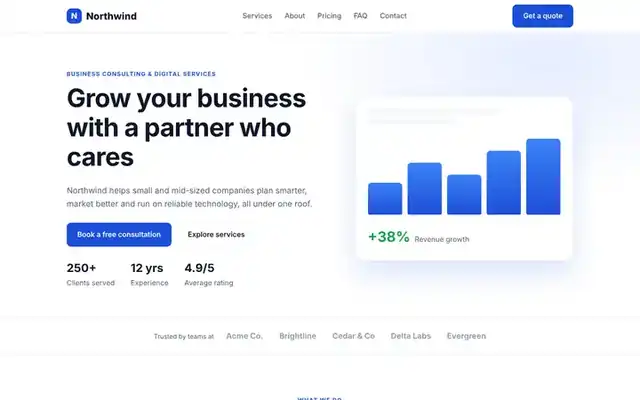
A responsive one-page website for agencies, consultants and small businesses, with services, process, testimonials, pricing, FAQ and a contact form.
Generate five SEO-friendly meta description ideas from your title and keyword, check length in characters and pixels, and preview the Google snippet.
Create free static QR codes for links, text, Wi-Fi, email and phone numbers. Custom colors, error correction and PNG or SVG download.
Remove photo backgrounds with on-device AI for portraits, or a color-based mode for products and logos. Download a transparent PNG.
Shrink JPG, PNG and WebP images by up to 80% without visible quality loss. Batch compress in your browser, no upload needed.