
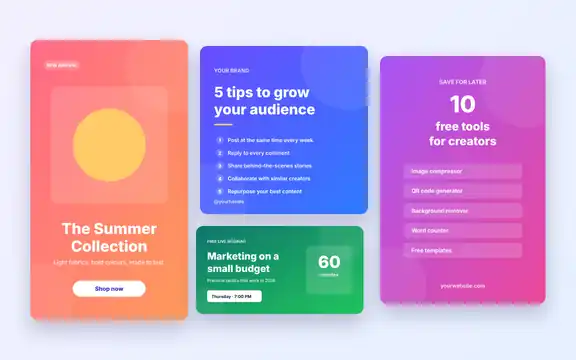
Post consistently without starting from scratch
Consistency matters more than perfection on social media, and templates make it realistic. Set up your brand colours and fonts once in the Social Media Post Kit, then change only the words and photo each time you post.
Recommended image sizes
- Instagram feed post: 1080 × 1080 px (square) or 1080 × 1350 px (portrait).
- Instagram and Facebook stories: 1080 × 1920 px.
- Facebook link or feed image: 1200 × 630 px.
- LinkedIn post image: 1200 × 627 px.
- Pinterest pin: 1000 × 1500 px.
- YouTube thumbnail: 1280 × 720 px.
Platforms change their recommendations from time to time, so check each network’s help centre for the latest specifications. Use the Image Resizer and Image Cropper to fit photos to these sizes.
Using YouTube thumbnails responsibly
The YouTube Thumbnail Downloader is handy for saving your own video thumbnails, checking how a thumbnail looks at different sizes, or collecting design references. Thumbnails belong to the video creators, so do not reuse other people’s images in your own content without permission.
Frequently asked questions
Which apps can edit the post templates?
The SVG designs open in Canva, Figma, Inkscape and Adobe Illustrator.
Can I download thumbnails from private videos?
No. The tool only shows the public thumbnail images that YouTube makes available for public and unlisted videos.
Do I need to credit Tolket in my posts?
No credit is required for designs made with our templates.